

OneScreen Touchscreen TL6
The good stuff should be easy
Touch, share, write and record on one
easy-to-use smart board


Affordable Innovation
Deliberately built with just the features teams and teachers use most and the quality hardware they deserve.

Fundamental Apps
Annotate on anything, easily screen share, simple built-in screen recorder, stream up to 9 devices at once.

Simplified Specs
Choose from 3 screen sizes that include 32GB, 4K UI, 10-Watt speakers, blue light filter.

Screen Skills Guru
Unlimited, free Screen Skills Guru support and training with all of our solutions via audio, video, chat, email or phone.


Free, Unlimited Help & Training
24 Hours a Day, 5 Days A Week

-
• 4k whiteboard infinite display, which can naturally zoom in and out of pictures, web pages, videos, and documents
• High-precision touch, support 2.0mm fine recognition, fine pen tip, smoother writing experience
• Support any signal source annotation function, which can be switched at any time
• Support multi-screen projection, adapt to multiple devices to achieve simultaneous interpretation of 4 pictures
• Comes with a Bluetooth module, which can be flexibly connected to a Bluetooth speaker
• Download the apps you want with Android 8 and Google Playstore
• Choose from 3 screen sizes that include 32GB, 4K UI, 10-Watt speakers, blue light filter
-
• OneScreen Hype: Browser-based video conferencing and collaboration, 50 licenses
• OneScreen Annotate: Up to 10 users work together in a shared whiteboard space. Easily exchange and annotate content in real-time
• OneScreen Attendance: Efficient and secure student attendance management
• ZUNI Learning: All of the best, free, online lessons & resources in one place integrated with Google Class
• OneScreen EShare: Share, mirror, and cast devices/screens or applications wirelessly
• OneScreen Central: Centralized screen control, emergency notification, software upgrades & more
• OneScreen Navigate: Centralized & customizable product navigation from a home screen
• Unlimited multi-party calls with up to 50 participants
• Up to 49 ad-hoc participants using Google Chrome, SIP, or H.323 platforms
• Universal meeting scheduler for WebEx, Adobe Connect, and Audio Conference
• Multi-camera support for capturing different angles in large meetings and conferences
• Save and record your work on cloud or local servers
• Share, mirror, and cast devices/screens or applications wirelessly
• Secure instant messaging and exchange of files
• Convert voice to text with real-time transcription
• Full access to Android apps and Google Play Store with multi-user login support
• Write on any content, save, transfer via QR code or email
-
• Free unlimited online training with the Screen Skills Guru team
• Free unlimited online tech support Screen Skills Guru team
All-in-one interactive video collaboration solutions for Education.
Get the hardware
Best-in-class smart screen, onboard PC, 1080p HD camera and wireless keyboard, 55″, 65″, 75″, 86″ sizes
Get the software
Distance learning, ZUNI Learning lesson planning & teaching resource integrated with Google Classroom, annotation, share, stream, whiteboard, Google Play Store & more
Get the help & training
Free, unlimited help & training from the Screen Skills Gurus 24 Hours a Day, 5 Days a Week.

Hubware Education
Increase the potential of every lesson
A simple, affordable, and all-inclusive education bundle to increase the potential of every lesson that you teach.
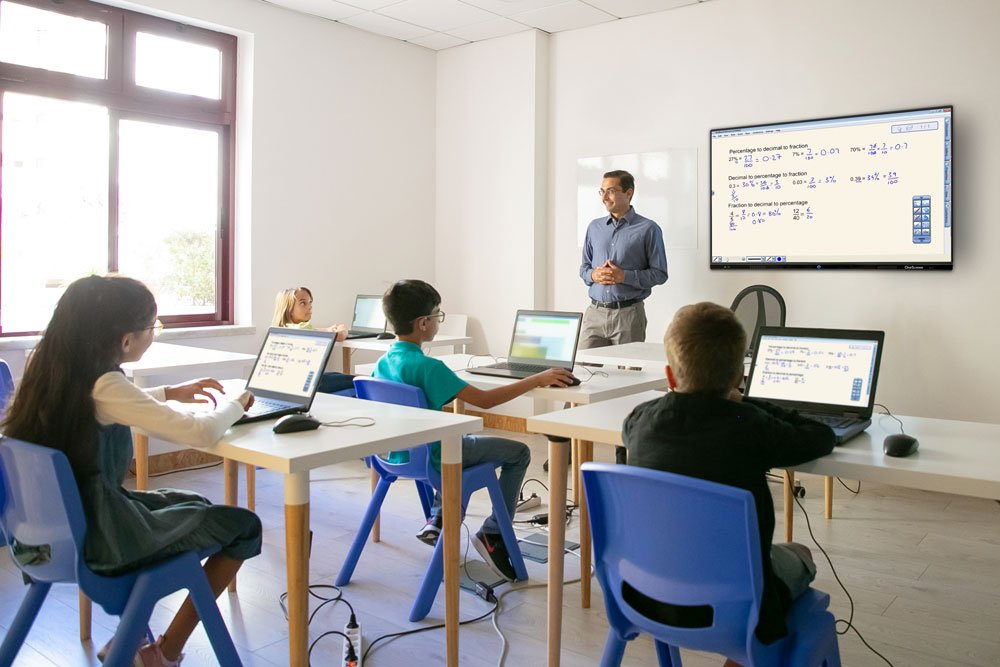
Bringing collaborative learning to life
for collegiate and primary classrooms alike.

Lesson Planning Tools
Lesson software that easily integrates into your existing lessons
Build new lessons in real-time using multiple file formats
Share and save lessons for student access any time
Easy Presentation & Capture Tools
One-click access to your network and the web
Drag and drop files
Record and save classwork sessions
Full Google PlayStore access
Student Interaction Tools
Student polling and voting
Student-to-student screen and idea share
All students share one classroom screen
Students can be in class or interact remotely
OneScreen provides advanced distance and
blended learning capabilities in one solution.
Lessons available with or without you
OneScreen captures, records and saves all of your lessons.
Vacationing and sick students stay caught up and less stressed.
Personal login so all teachers can set up their own OneScreen hub.
Rethink your approach to sick days
Help students lower their stress levels when they miss class.
Spend less time on catchup with students that can’t make it to class.
Or, easily bring remote students into class via video or audio to view, attend and take part in the lesson.
Go ahead knock down those classroom walls
OneScreen is always online, so live events coverage is one click away.
Anytime access to real-time news content that provides rich learning content.
Instantly dial in guests, regardless of the communication platform they use.

OneScreen Virtual Wall
LED video wall, one easy to own package

Innovative Structure
Clean form, low power consumption, ultra light weight. Easy, front access with HD and beyond resolution

On Subscription
Includes automatic hardware/software replacement every 3 years, advanced warranty, and price lock

White Glove Install
All Virtual Walls can include design, delivery and installation from a OneScreen expert

Support Centric
Unlimited, free Screen Skills Guru support and training with all of our solutions via audio, video, chat, email or phone
Available in standard sizes or custom built designs
as well as indoor and outdoor models.


OneScreen monthly subscription
Pay for what’s most valuable to your classroom, the
smart screen should simply come with it.
Make technology budget planning easier, spread costs over a planned time period & deliver huge cost savings on the most current smart screen technology.
Monthly subscription includes
• OneScreen Smart Screen with wall mount in 55”, 65”, 76”, 86” or 98” sizes.
• OneScreen software bundle offering annotation & white-boarding, distance & blended learning, lecture transcription & translation, formative assessment tool, classroom collaboration, wireless streaming & thousands of open educational resources and lesson plans.
• Easy monthly payments with minimum commitment of only twelve months.
• Free upgrade to the latest model after 3 years of continuous subscription.
• Equipment can be returned anytime after the first year, just pay the return shipping cost and cancel your subscription.
• Advanced hardware replacement warranty ensuring zero out of pocket cost and practically zero down time for you.
• Unlimited, on-demand, online help via video, chat, phone or email.
• Unlimited, on-demand online training via video, chat, phone or email.
• One time delivery and account set up fee of $249.
Streaming, sharing, polling, searching, drawing, planning, whiteboarding, presenting, brainstorming… basically, any kind of teaching and learning activities for an affordable monthly payment